
Selling your Apple Watch, upgrading to a new iPhone, or troubleshooting connection issues often starts with unpairing the watch.
While the process is straightforward, doing it incorrectly can lead to Activation Lock problems or missing backups. The key difference is whether you still have the paired iPhone: unpairing from the iPhone removes Activation Lock, while erasing the watch alone does not.
If you’re looking for how to unpair Apple Watch, following the correct order helps protect your data and prepares the watch for its next use. This guide explains each method, whether you still have your iPhone or not.
1. How to Unpair Apple Watch From iPhone
The easiest and safest way to disconnect your watch is through the Apple Watch app. If you’re searching for how to unpair Apple Watch from iPhone, these steps let your iPhone create a current backup before the watch is erased and removed from Activation Lock.
Step 1: Open the Apple Watch app
Unlock your iPhone and launch the Apple Watch app. Before starting, keep your Apple Watch and iPhone close together. Beginning how to unpair Apple Watch this way allows your iPhone to communicate with the watch throughout the process.
Step 2: Go to My Watch > All Watches
Tap the My Watch tab if it isn’t already selected, then choose All Watches at the top of the screen to display every Apple Watch linked to your iPhone.
Step 3: Tap the info button next to the watch
Find the watch you want to remove, then tap the ⓘ (Info) button beside its name to open the management options.
Step 4: Tap Unpair Apple Watch
Select Unpair Apple Watch. Your iPhone will try to create a backup of the Apple Watch before erasing it. This makes how to unpair Apple Watch much safer if you plan to restore the watch later.
Step 5: Choose whether to keep or remove the cellular plan if applicable
If you own a GPS + Cellular model, you’ll be asked whether to keep or remove the cellular plan. Choose Keep if you’ll pair the watch again soon, or Remove if you’re selling or giving away the device.
If you are not going to use the cellular plan again, contact your carrier to cancel the cellular subscription because removing the plan from the watch may not cancel billing.
Step 6: Confirm with your Apple Account password
Enter your Apple Account password to disable Activation Lock, then wait for the process to finish. Once complete, the watch is ready to pair with another compatible iPhone.
2. Erase the Watch Without the iPhone
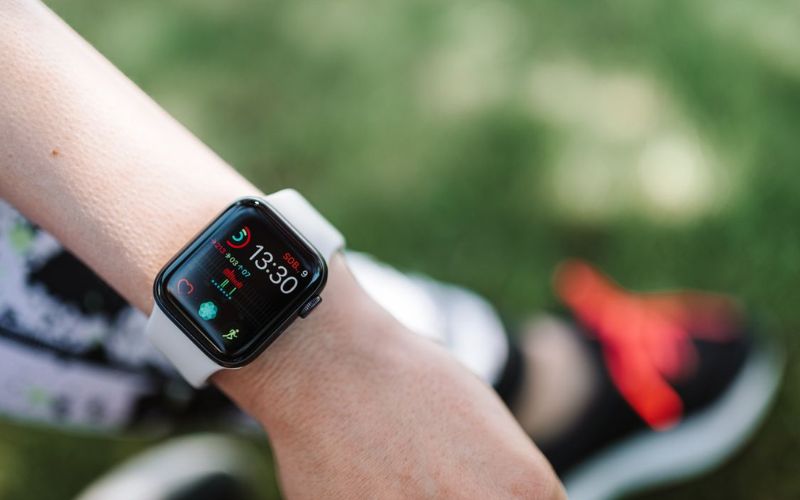
If you no longer have access to your paired iPhone, you can still erase the watch. This method answers how to unpair Apple Watch without phone, but it does not remove Activation Lock. You still need the Apple Account and password linked to the watch before someone else can set it up.
- Step 1: Open Settings on your Apple Watch.
- Step 2: Tap General, then Reset.
- Step 3: Tap Erase All Content and Settings.
- Step 4: Enter your passcode if prompted.
- Step 5: If your watch has a cellular plan, choose whether to keep or remove it. Keep it if you plan to pair the watch and iPhone again. Remove it if you are selling or giving away the watch.
- Step 6: Tap Erase All to confirm.
If you need to remove Activation Lock and cannot access the paired iPhone or Apple Watch, go to iCloud.com, sign in with your Apple Account, open Find My, select the Apple Watch, erase it, then remove it from the account after the erase is complete.
>>> Read more: How to Screen Record on iPhone: Audio, Settings & 3 Fixes
3. Remove It From an Old iPhone or Apple Account
If you’ve replaced your iPhone or no longer have the original device, you may still need to remove the watch from your Apple Account. This situation commonly applies to users searching for how to unpair Apple Watch from old phone before pairing the watch with a new iPhone.
Step 1: Go to iCloud.com and sign in with your Apple Account.
Step 2: Open Find My.
Step 3: Select your Apple Watch under All Devices.
Step 4: Choose Erase Apple Watch and follow the prompts.
Step 5: After the watch is erased, choose the Remove option that appears for the Apple Watch.
4. Common Mistakes to Avoid
Although the process is simple, a few common mistakes can create unnecessary problems. Keeping these in mind makes how to unpair Apple Watch much smoother.
Erasing the watch before removing Activation Lock: Erasing the watch alone doesn’t remove Activation Lock. Always remove the watch from your Apple Account if you’re giving it to someone else.
Forgetting the Apple Account password: You’ll need your Apple Account password to disable Activation Lock. If you don’t remember it, recover your account before starting the unpairing process.
Not removing the cellular plan before selling: If your Apple Watch has cellular and you are selling or giving it away, remove the cellular plan during unpairing and contact your carrier if you need to cancel the subscription.
Trying to pair with a new iPhone before the old setup is ready: If you are moving to a new iPhone, back up the old iPhone first because an iPhone backup includes Apple Watch data. If the new iPhone asks you to start pairing instead of using the existing watch, Apple says to unpair the Apple Watch and then set it up again.
>>> Read more: How to Restart iPhone: iPhone 16, 15, 11 Steps & Fixes
5. FAQ
Does unpairing the Apple Watch erase everything?
Yes. Unpairing erases the content and settings stored on the Apple Watch. However, when you unpair it through the paired iPhone, a backup is automatically created so you can restore your data later.
Will I lose my Activity and Health data if I unpair my Apple Watch?
Usually no, as long as your data is properly backed up or synced. Apple says Apple Watch backups can include Health and Fitness data, but Health and Fitness data require iCloud or an encrypted computer backup. Before moving to a new iPhone, make sure Health is turned on in iCloud or use an encrypted computer backup.
Do I need to remove my cellular plan before selling my Apple Watch?
Yes, if you are selling, giving away, or trading in a cellular Apple Watch, remove the cellular plan during unpairing. If you do not plan to use the cellular subscription again, contact your carrier to cancel it because carrier fees may still apply.
Can someone else use my Apple Watch after I erase it?
Yes, but only after Activation Lock has been removed. If the watch is still linked to your Apple Account, the new owner won’t be able to complete the setup until it’s removed from your account.
Conclusion
Learning how to unpair Apple Watch isn’t just about disconnecting the device-it’s also about protecting your data and preparing the watch for its next owner or your next iPhone.
Whether you’re unpairing through your iPhone, erasing the watch without the phone, or removing it from an old Apple Account, following the correct steps helps avoid Activation Lock issues and keeps the setup process simple when you’re ready to use the watch again.